How to Withdraw From Coinbase: Cash to Bank or Crypto to a Wallet
Step-by-step Coinbase withdrawal guide: cash to your bank account, crypto to an external wallet, why funds go on hold, and the mistakes that cost people money.
Last verified: See our sources
Coinbase review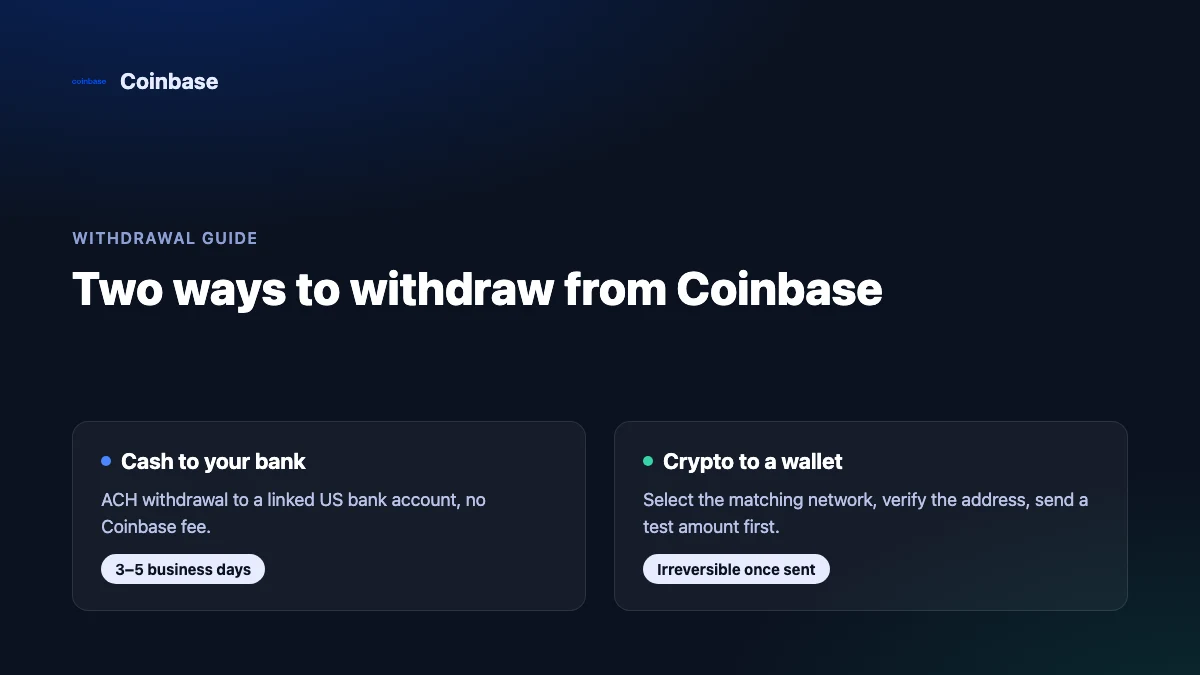
There are two different things people mean by "withdraw from Coinbase": moving your USD (or GBP/EUR) balance out to a bank account, or sending crypto off the platform to a wallet you control. The steps, the wait times, and the ways to lose money are different for each, so this guide covers both separately, plus the holds and limits that catch people off guard on their first try.
DISCLOSURE: CompareCEX may earn a commission when you sign up through our links. This does not influence our editorial scores.
RISK: Crypto assets are volatile and unregulated in many jurisdictions. Not financial advice.
How Do You Withdraw Cash From Coinbase to Your Bank Account?
This applies to the standard Coinbase app (coinbase.com), not the separate Coinbase Exchange product used by institutional traders — the steps below are for a retail account.
- Sign in and go to your Portfolio or Assets page, then select your USD (or local fiat) balance.
- Choose Withdraw Cash (sometimes shown as Cash Out).
- Pick the linked bank account or payment method you want to receive the funds.
- Enter the amount and review the confirmation screen — this is where Coinbase shows the fee (if any) and the estimated arrival time for that specific method.
- Confirm, using two-factor authentication if prompted.
For US customers, the standard rail is ACH, which requires a verified bank account linked to your Coinbase profile first, per Coinbase's own withdrawal-timing help page (help.coinbase.com, retrieved 2026-09-07). US customers with an eligible debit card, PayPal account, or Real-Time Payments (RTP) enabled bank account can also use Coinbase's Instant Cash Out option instead of standard ACH, per Coinbase's help page on instant cashouts (help.coinbase.com, retrieved 2026-09-07).
Outside the US, Coinbase's own regional payment-method pages confirm Faster Payments as a supported route for UK GBP accounts, and SEPA transfers as a supported route for EUR accounts in the EEA (help.coinbase.com, UK and EMEA payment-method pages, retrieved 2026-09-07). We could not independently verify the exact settlement time or fee for a UK or EU retail withdrawal through direct access to those pages — always check the amount and estimated arrival date shown on your own confirmation screen before you confirm, since that reflects your specific account and payment method.
How Fast Does a Coinbase Withdrawal Arrive, and What Does It Cost?
| Method | Typical speed | Fee | Confirmed by |
|---|---|---|---|
| ACH to US bank | 3–5 business days (can stretch to 7–10 calendar days over a weekend or holiday) | No Coinbase fee | Coinbase help center, retrieved 2026-09-07 |
| Instant Cash Out (debit card / PayPal / RTP, US) | Faster than ACH | A fee applies; Coinbase's own help page does not publish a fixed percentage, so check the amount shown before confirming | Coinbase help center, retrieved 2026-09-07 |
| Crypto withdrawal, most assets | Depends on blockchain confirmation time | Network fee, which Coinbase states it covers based on its own estimate for a standalone send | Coinbase help center, retrieved 2026-09-07 |
| USDC withdrawal | Depends on network | Free on supported networks except Ethereum, per Coinbase | Coinbase help center, retrieved 2026-09-07 |
| USDT withdrawal | Depends on network | A processing fee plus a separate network fee, per Coinbase | Coinbase help center, retrieved 2026-09-07 |
| Coinbase-to-Coinbase transfer | Near-instant | No network fee | Coinbase help center, retrieved 2026-09-07 |
Bank withdrawal fees are separate from what you already paid to acquire the crypto in the first place. Coinbase's spot trading fee runs 0% to 0.40% for maker orders and 0.05% to 0.60% for taker orders depending on your rolling 30-day volume††. A $10,000 market buy at the expensive end of that range costs $60 in trading fees before you ever touch the withdraw button† — worth remembering when you're deciding how much to cash out versus hold. Our fee calculator runs this against your own trade size.
Ready to try Coinbase?
Please check local regulations before signing up.
How Do You Withdraw Crypto to an External Wallet?
- Open the asset you want to send and choose Send.
- Enter or paste the recipient address, or scan a QR code — do not type it from memory.
- If the asset is supported on more than one blockchain, select the correct network. Coinbase's own help page for sending crypto states that if you're not sending to a Coinbase user by email or phone, you must select the network, and that on-chain sends are irreversible: Coinbase cannot retrieve funds sent to the wrong address or the wrong network (help.coinbase.com, retrieved 2026-09-07).
- Double-check the first and last several characters of the address against the source you copied it from.
- For a new address or a network you haven't used before, send a small test amount first, confirm it arrives, then send the rest. This costs a second network fee but caps what you can lose to a mistake.
- Confirm the send, using two-factor authentication if Coinbase prompts for it on a higher-value transaction (help.coinbase.com, retrieved 2026-09-07).
There's a useful transplant here from trading discipline: negotiate with safety, not with profit. A trader with a tight stop-loss reduces position size rather than skip the stop to save time; a first-time send to a new address deserves the same trade-off — a small test transaction costs a few minutes and a second network fee, and an irreversible send to the wrong network costs everything you sent .
Why Is Your Coinbase Withdrawal On Hold After Buying With a Bank?
New funds — from a bank deposit, or from crypto you just sold — are commonly placed on a temporary hold before they can be withdrawn or sent off-platform. Per Coinbase's own help page on funds on hold, holds typically expire by 11:59 PM Pacific Time on the date shown in your confirmation email or transaction history, and Coinbase Support cannot shorten that hold once it's set; a hold can also be extended if a transaction is disputed or as an account-safety measure (help.coinbase.com, retrieved 2026-09-07). This is the single most common reason a first Coinbase withdrawal doesn't go through immediately — it isn't usually a technical error, it's a scheduled hold.
What Are Coinbase's Withdrawal Limits?
Coinbase doesn't publish one fixed withdrawal limit that applies to every account. Per Coinbase's own account-limits help page, your limit is set by an internal process that weighs your account age, location, verification level, transaction history, and linked payment method, and it can be raised by completing additional verification steps (help.coinbase.com, retrieved 2026-09-07). We are not going to repeat a specific dollar figure here, because it varies by account and Coinbase does not publish a single universal number — check Settings > Limits in your own account for the figure that actually applies to you, and complete any outstanding verification if you need it raised.
What Mistakes Do People Make When Withdrawing From Coinbase?
- Sending on the wrong network. Picking "Bitcoin" when the receiving wallet expects "BEP20" (or vice versa) is the single most common way people lose crypto permanently — Coinbase's help page is explicit that this cannot be reversed on their end (help.coinbase.com, retrieved 2026-09-07).
- Skipping the destination's memo or tag requirement. Some networks require an extra memo, tag, or destination ID alongside the address; leaving it off (where the receiving exchange or wallet requires one) is how funds go missing at the receiving end rather than in transit. Confirm with the receiving wallet whether one is needed before you send.
- Assuming a first withdrawal will be instant. New accounts and recent bank deposits are the situations most likely to trigger a hold — see the section above before assuming something is broken.
- Skipping the test transaction on a new address. A small network fee on a test send is cheap insurance against an irreversible mistake on the full amount.
- Confusing Coinbase Exchange withdrawal rules with the standard Coinbase app. The two products have different interfaces and, in places, different payment rails — always follow the help article that matches the product you're actually using.
Withdrawal Checklist
- Confirmed the destination: bank account name matches your Coinbase account, or wallet address and network both verified.
- Checked whether your funds are on hold before assuming a technical failure.
- Reviewed the fee and estimated arrival time shown on the confirmation screen, not a number from a blog post.
- Sent a test transaction first if this is a new wallet address or a network you haven't used before.
- Checked Settings > Limits if the amount you want to withdraw is close to what you've moved before.
Related guides
- Coinbase fees explained — the trading fee schedule behind the buy that happens before every withdrawal.
- Coinbase exchange profile — licensing, features, and security facts we've verified.
- Best exchanges for beginners — how Coinbase compares if you're still choosing a platform.
- Binance to Crypto.com transfer fee — a worked example of the same kind of cross-exchange crypto withdrawal, on different exchanges.
FAQ
How long does a Coinbase withdrawal take?
For a standard US ACH cash withdrawal, Coinbase's own help page states 3–5 business days, which can stretch to 7–10 calendar days around a weekend or bank holiday (help.coinbase.com, retrieved 2026-09-07). Crypto withdrawals depend on blockchain confirmation time rather than a fixed schedule, and any active hold on your funds adds time on top of either method.
Why can't I withdraw money from Coinbase right now?
The most common reasons are an active hold on recently deposited or recently sold funds, an unverified or unlinked bank account, or a withdrawal amount above your current account limit. Check the hold and limits sections above before contacting support.
Is it safe to withdraw crypto from Coinbase to an external wallet?
Yes, but on-chain sends are irreversible once confirmed — Coinbase's own help page states it cannot retrieve funds sent to an incorrect address or the wrong network (help.coinbase.com, retrieved 2026-09-07). The safest process is to select the correct network, verify the full address, and send a small test amount before moving the full balance.
Does Coinbase charge a fee to withdraw cash to my bank?
Standard ACH withdrawals to a US bank carry no Coinbase fee, per Coinbase's own help page (help.coinbase.com, retrieved 2026-09-07). Instant Cash Out to a debit card, PayPal, or an RTP-enabled bank account does carry a fee, though Coinbase's help page for that feature does not publish a fixed percentage — the exact amount is shown on your confirmation screen before you send.
See our best exchanges list for more comparisons, and read our affiliate disclosure for how we're funded.
RISK: Crypto assets are volatile and unregulated in many jurisdictions. Not financial advice.
Last updated: 2026-09-07